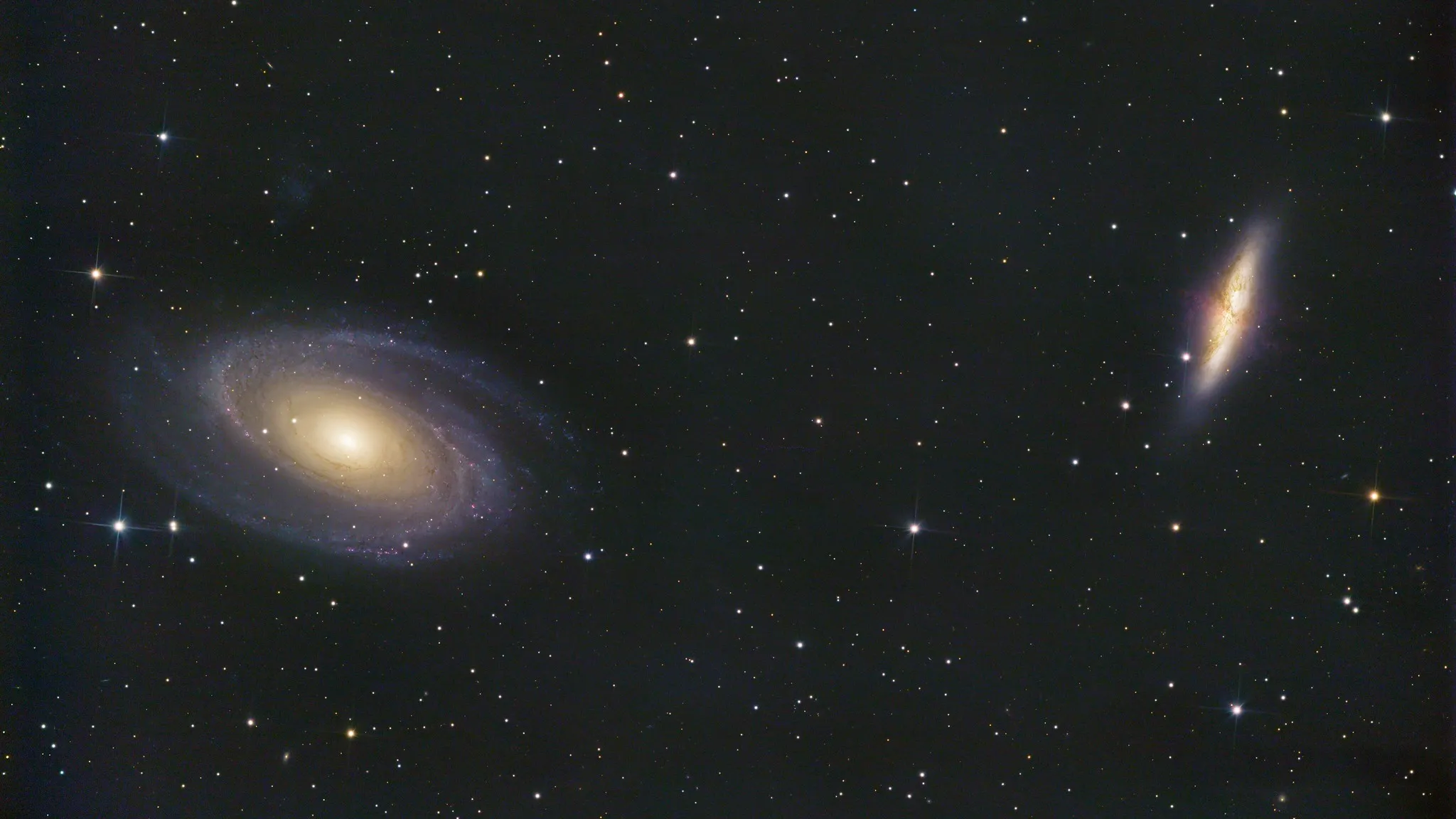
M81 & M82 — Bode's Galaxy and the Cigar Galaxy
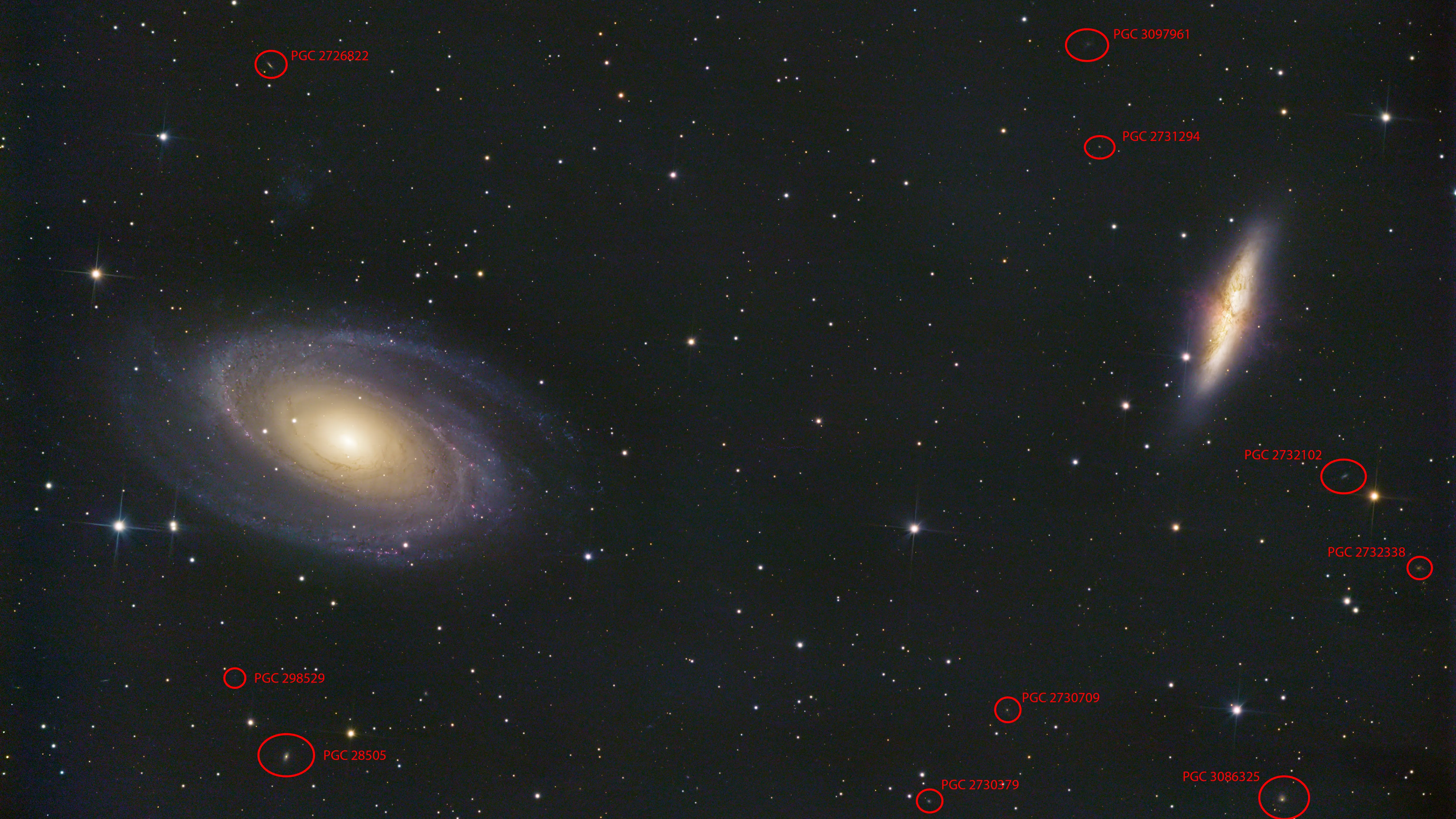
Over 12 hours of data on Bode's Galaxy and the Cigar Galaxy, with drizzle integration and photometric color calibration.
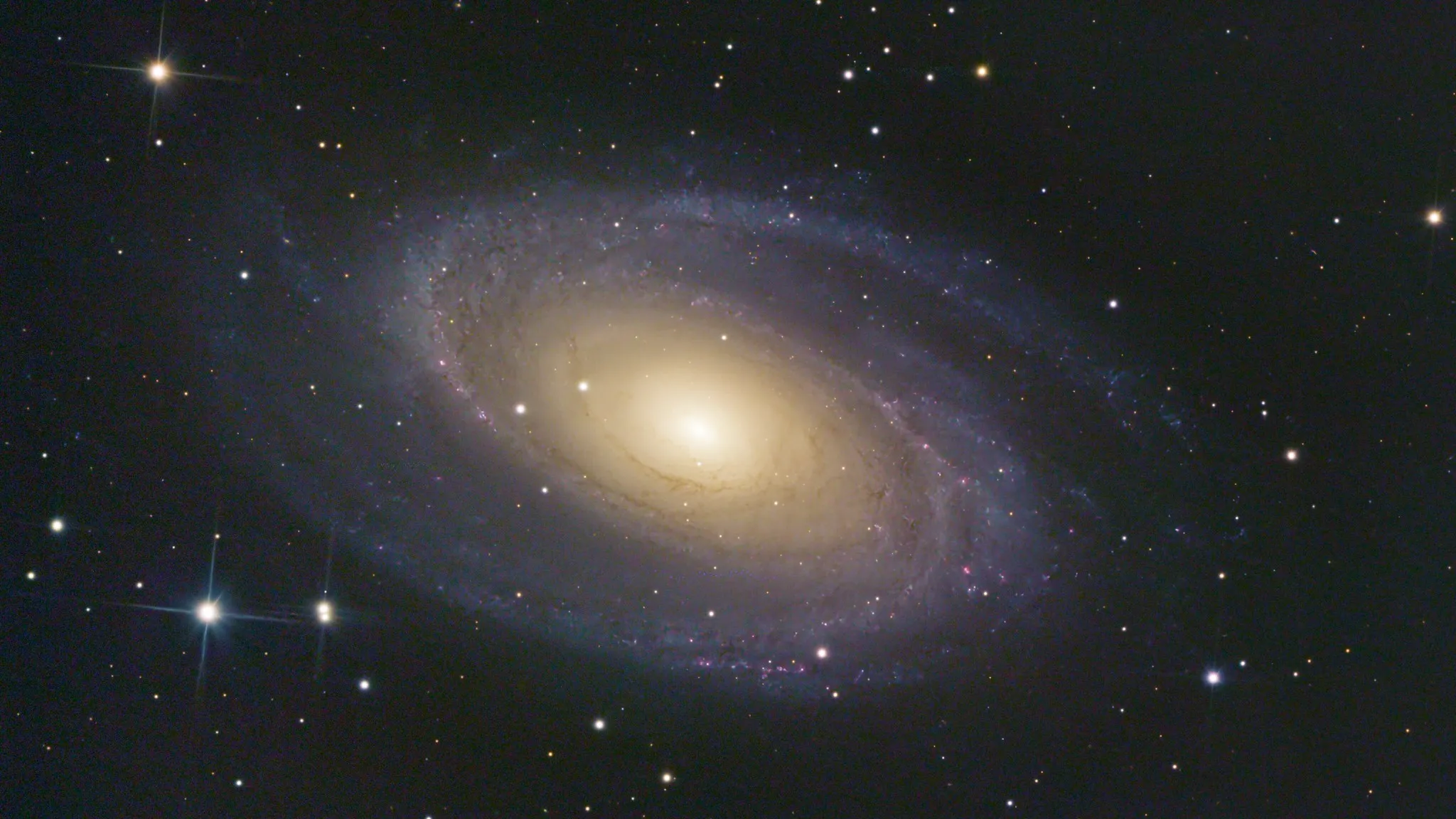
About M81
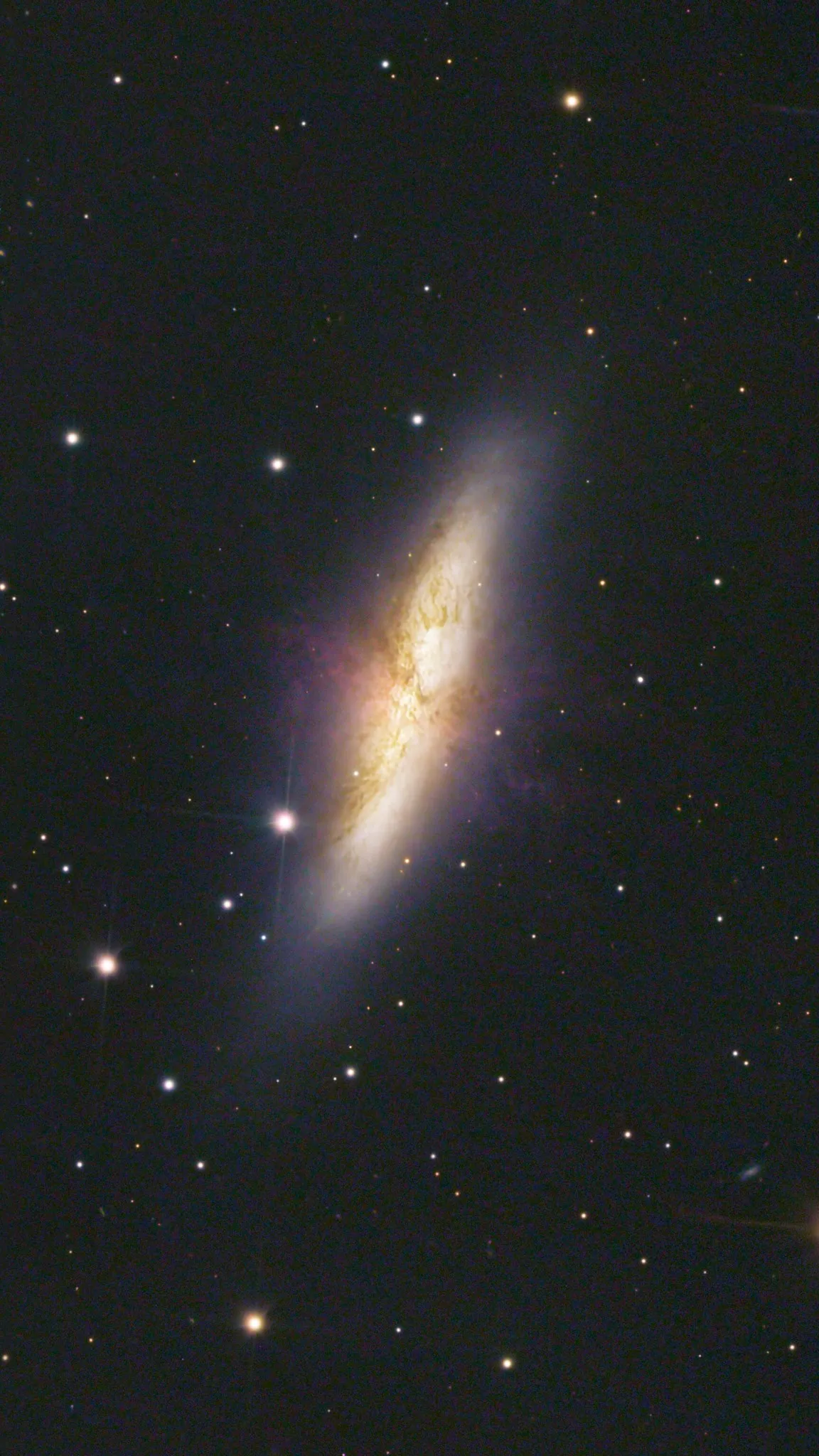
About M82
Acquisition
This project was a big deal for me. I spent over 12 hours gathering data on the target and picked up some new tricks for processing along the journey. The image I ended up was full of amazing detail and vibrant colors. What surprised me most was how close the quality of my image came to those taken by the Hubble telescope, using just amateur equipment on the ground.
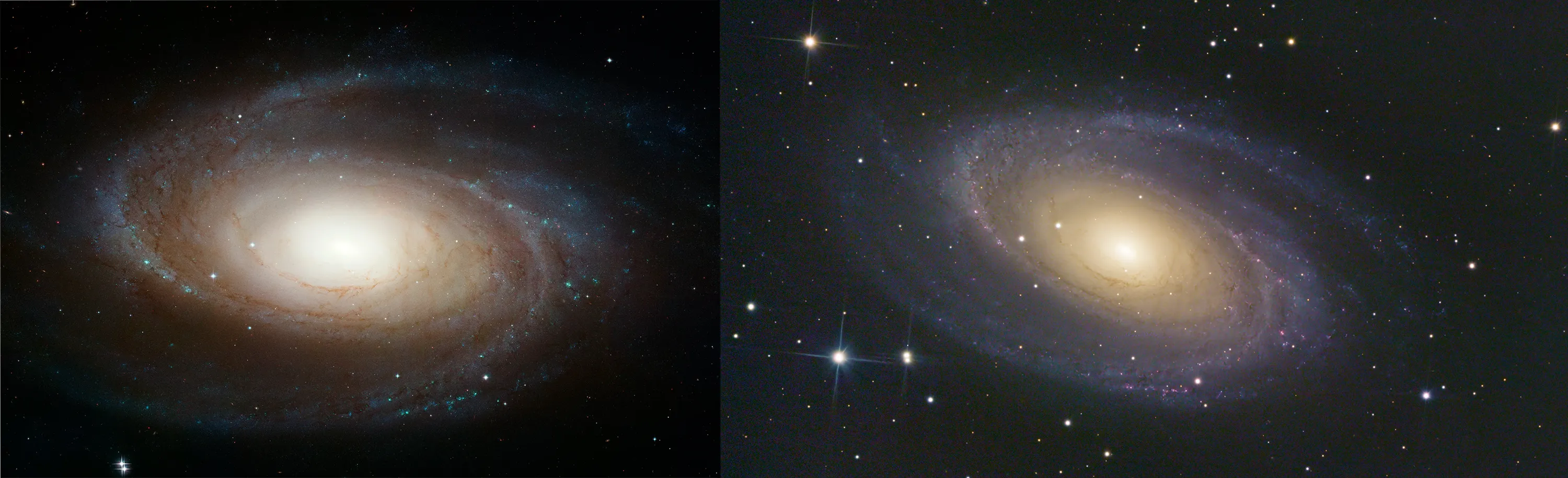
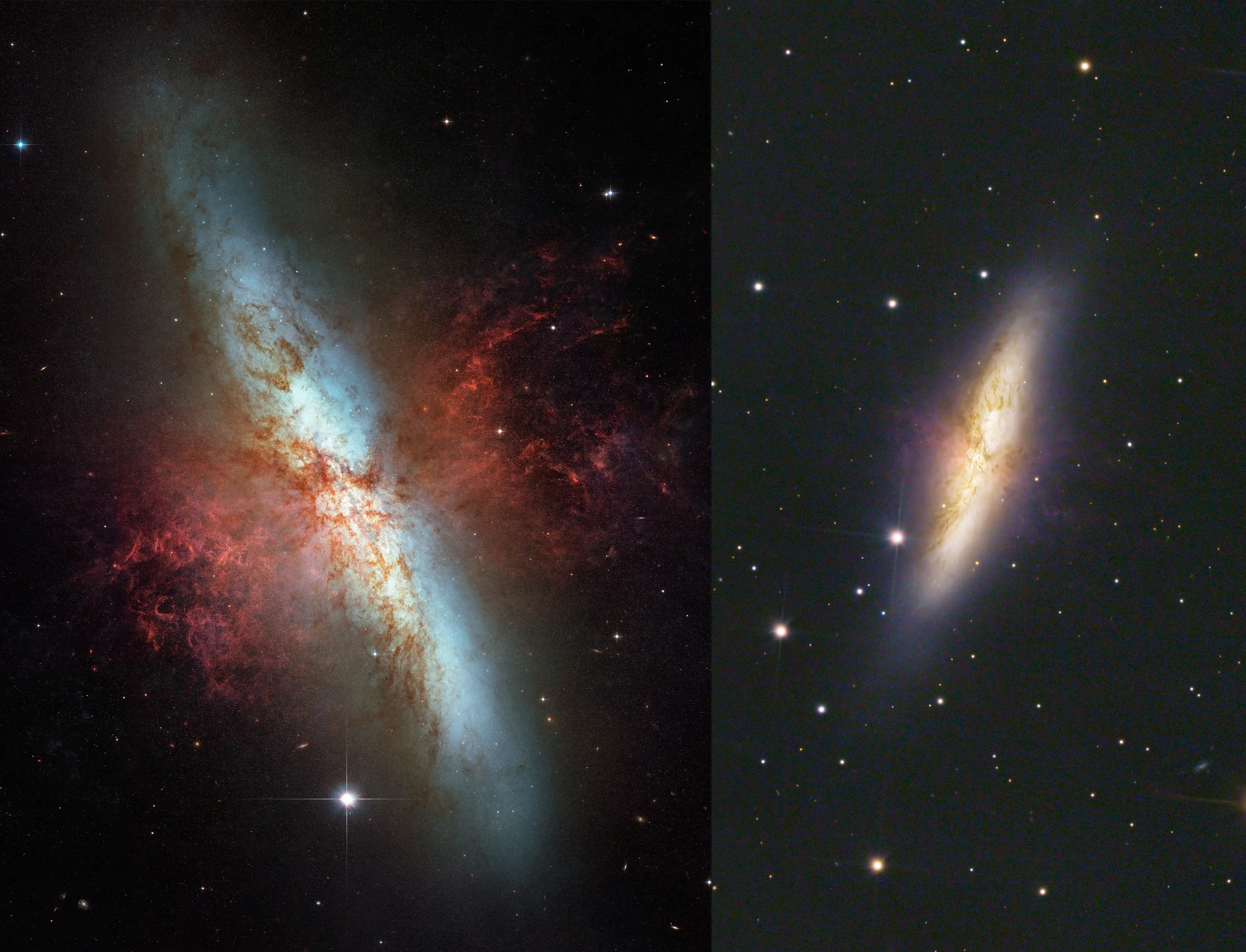
My workflow for this image was entirely different than what I’ve done before, and I wanted to highlight a few of the tools that I used that I think really made the difference here:
First, this image is a drizzle integration. drizzling is a technique developed by the hubble team for the deep-field images, and allows you to recover detail from undersampled images. It also dramatically increases the resolution of the images, which worked well here to create the cropped shots of both galaxies. I likely won’t do this for all images as the drizzle process takes hours and the files can be hard to work with, but for this image it worked well.
The second is photometric color calibration. When you take a normal image, your camera can usually automatically determine the white balance of the image to produce a good result. However, with astrophotography the white balance must be calculated manually. The way I used to do this was by selecting a star to serve as my white reference, and an empty patch of space as my black reference, and calibrating that way. However, space isn’t totally black, and stars aren’t actually white. Photometric color calibration on the other hand is much more sophisticated. Essentially, it uses plate solving to look at the image and compare against a database of stars, and pattern matches to figure out what stars its looking at. From there, it grabs data about the color temperature of the stars in the image from that same database, and uses that as the color reference to calibrate the image. This enables much more accurate color calibration and ensures that the images is closer to a “true” color (although what true color is in astrophotography is not always clear). You can learn more about PCC here: https://pixinsight.com/tutorials/PCC/
The third is BlurXTerminator (https://www.rc-astro.com/software/bxt/). This is an AI powered sharpening tool that greatly enhances the sharpness of the images. I was initially hesitant to use AI tools, as I was worried that it would create a final product that was not representative of what was captured, but these are not generative AI tools, it is just a better sharpening tool than the ones I was already using, and the work it does is incredible. I’m currently still using the free trial of the software, but I think I’ll end up buying it and incorporating it into my regular workflow
The final one is the curves transformation. Histogram editing is a tool that comes standard with virtually any image processing software, but I always found it mildly daunting. I used to increase saturation by following a tutorial I found online that had you separate the luminance layer, darken the shadows a bit, and then reapply it as a saturation mask. I never thought much about how the process worked as the results looked great, but what it was basically doing was increasing saturation across the image, while keeping the darkest parts of the image dark. You can do this all with curves transformation but with much greater control, if you just take the time to learn it. I also took a fair bit of time to modify the curves for R, G, and B to enhance the difference between the blues of the galactic edge and the yellow cores. Going forward I will incorporate this into my workflow as well.
Image Details
- Light Frames: 901 frames, 50 seconds exposure per frame, 1600 ISO
- Dark Frames: 40
- Bias Frames: 50
- Flat Frames: None
Pixinsight Workflow
- Photometric Color Calibration
- Dynamic Background Extraction
- BlurXTerminator
- NoiseXTerminator
- Histogram Transformation
- Curves Transformation